Track your kind of effort
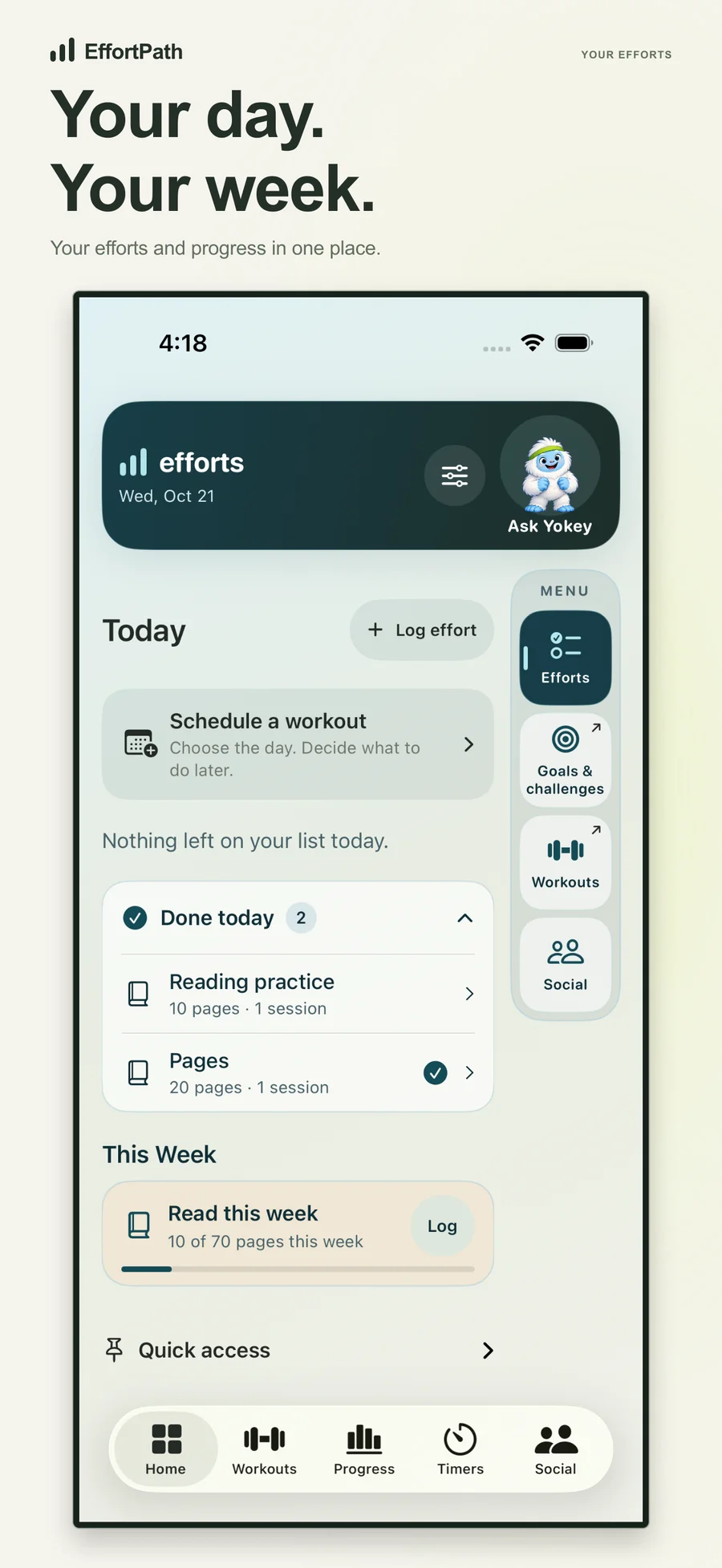
Record pages, repetitions, practice sessions, attendance or a custom count. Use daily, weekly and overall targets to see the progress that matters to you.
EFFORTPATH · WORKOUTS, HABITS & GOALS
EffortPath is a workout planner and personal productivity app for iPhone, iPad and Apple Watch. Track habits and goals, build interval timers, schedule routines, and review your progress.
Free download · iPhone, iPad & Apple Watch

WORKOUTS + PERSONAL PRODUCTIVITY
Record pages, repetitions, practice sessions, attendance or a custom count. Use daily, weekly and overall targets to see the progress that matters to you.
Explore weights, cardio, yoga, Pilates, boxing and sports-specific routines. Review exercise instructions and timing before explicitly starting, or save a routine for another day.
Build named interval routines with active and rest periods, repeated blocks, colors and sounds. Pause, resume and recover unfinished workouts without treating a preview as completed exercise.
Schedule a workout for a chosen day, use optional weekly repeats, and reopen saved or recent routines. Your goals and workout history remain part of the same daily view.
Find friends by username, create private groups, and review workout invitations. Share a routine, work out together or use private workout, count and habit challenges. Recipients can accept or decline.
With permission, use eligible Apple Health steps, sleep and workouts in personal goals, and save eligible workouts to Health. Apple Watch supports selected activities and controls; outdoor GPS runs use your iPhone.
ONE APP. DIFFERENT WAYS TO USE IT.
Track habits, custom counts and personal targets. Keep a daily view of what you are working on, with progress measured your way.
Explore EffortPath on the App Store ↗Explore routines, review exercises and timing, and edit or schedule a plan before deliberately starting it.
Explore EffortPath on the App Store ↗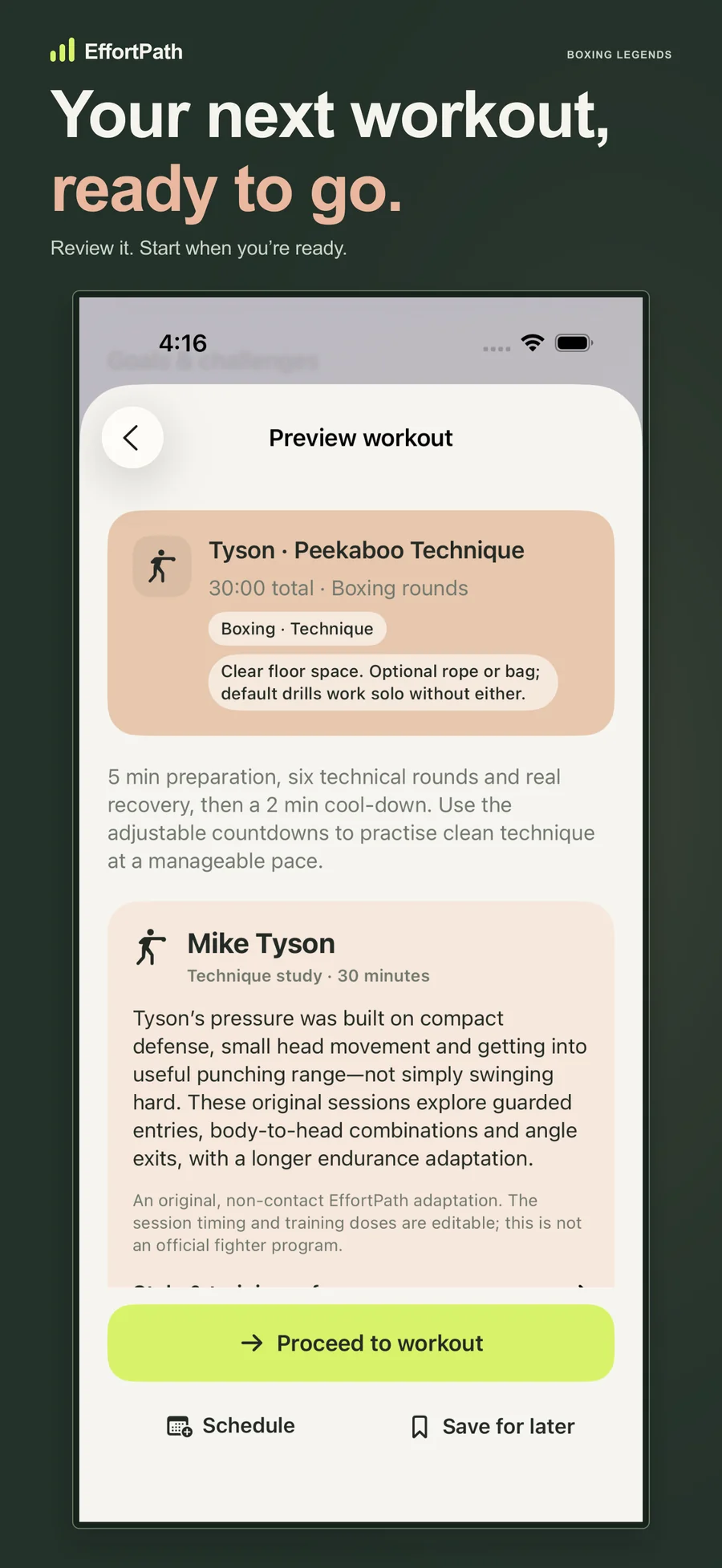
Build interval routines with named blocks, repeats and sounds. Pause and resume your session when you need to.
Explore EffortPath on the App Store ↗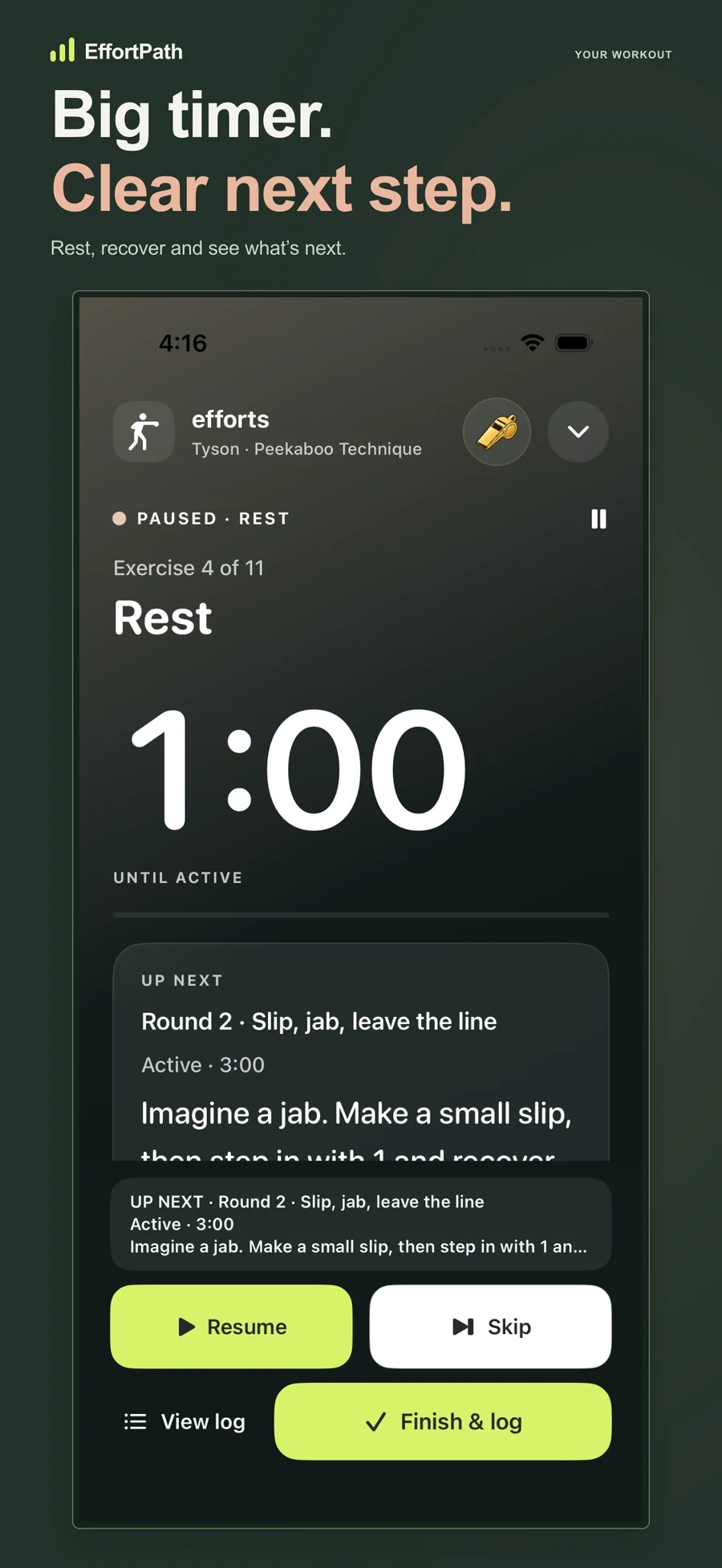
HOW IT WORKS
Start a count, create a personal goal or open a workout from the library.
Review the exercises, timing and equipment. Start only when you are ready, or save and schedule the plan.
Log your session and return to your daily view, history and weekly targets. Add sharing or Health connections only when you want them.
OPTIONAL HELP, WHEN YOU WANT IT
Find an existing routine or get help drafting an editable workout. Review the plan first; starting, saving and sharing stay your choice.
AI chat uses OpenAI, requires an eligible signed-in account, and has usage limits. It is not a medical or physical-therapy treatment service.
A FEW USEFUL ANSWERS
Yes. EffortPath lets you choose or edit workouts, review exercises and timing, build interval routines, and schedule a session for another day. It is available for iPhone, iPad and Apple Watch.
Yes. Alongside workouts, EffortPath tracks habits, custom counts and personal goals with daily, weekly and overall targets. Use it for pages read, practice sessions, repetitions, attendance or your own measure of progress.
Core personal logging works without an account. Optional social features and eligible Yokey chat use Sign in with Apple. Creating a workout suggestion does not start, log or share an activity.
Yes. Unfinished workout and timer state can be resumed, and switching to another workout pauses the previous one. Starting over is a deliberate choice, separate from resuming.
Supported Health connections require your permission. Apple Watch can follow or control selected activities and support counts, sets and goals. Outdoor GPS recording uses the iPhone; availability depends on device support and permissions.
You can review and send workout invitations to selected friends or private groups, and take part in private challenges. Recipients choose whether to accept. Health-derived challenge progress has a separate sharing choice.
DIRECT FROM THE DEVELOPER
For help, tell us your app version, device, and what happened.
GGolfapp@gmail.com ↗PRIVACY & PERMISSIONS
Read the EffortPath privacy policy for details about device storage, optional account features, Health permissions, sharing and AI chat.
Read the EffortPath privacy policy ↗ALSO FROM THEOBYTE APPS