Three holes, five outcomes
Aim for an Ace, land On the Green, Hit Fairway, overshoot, or come up short. Tap Swing to record each result. The lowest total wins, and ties lead to sudden-death holes.
G GOLF · THE SPLIT-THE-G SCOREKEEPER
G Golf is a free split-the-G scorekeeping app for iPhone and iPad. Play a three-hole glass-target game with one to six players, invite friends, and keep shared rounds and scores.
Free download · iPhone & iPad

A DIFFERENT KIND OF GOLF
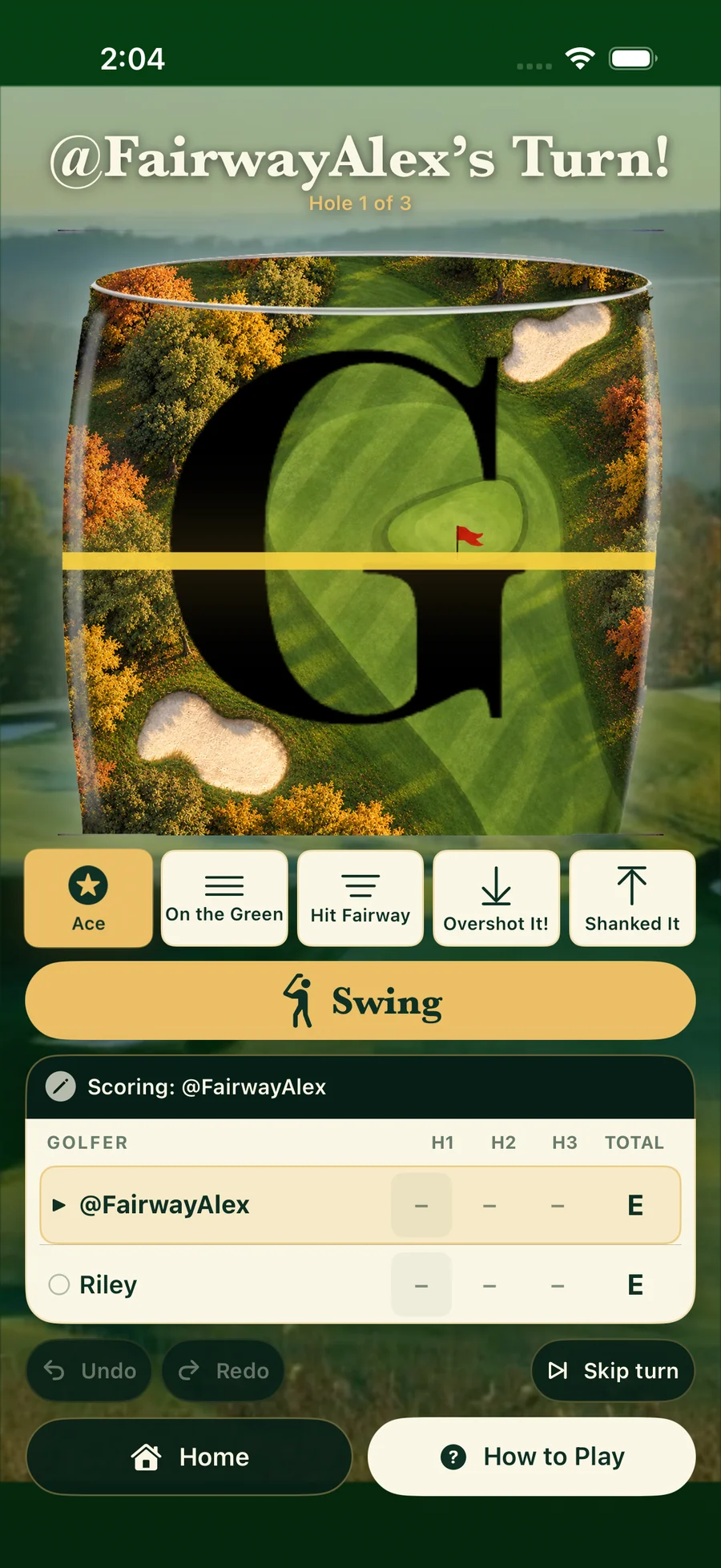
Aim for an Ace, land On the Green, Hit Fairway, overshoot, or come up short. Tap Swing to record each result. The lowest total wins, and ties lead to sudden-death holes.
Invite friends by their @handle and follow one shared scorecard, wherever everyone is playing. One device keeps score at a time; another joined player can take over when needed. Shared rounds require internet.
Start a phone-only round without an account, or sign in with an emailed code to save linked online rounds across devices. Local rounds stay on the phone that recorded them.
Resume an unfinished round, correct a shot with Undo and Redo, or archive an online round from your own list without ending it for the rest of the group.
Choose a nearby pub or restaurant, search by name or town, return to a recent venue, or type your own. Location permission is optional, and map listings do not verify which drinks are served.
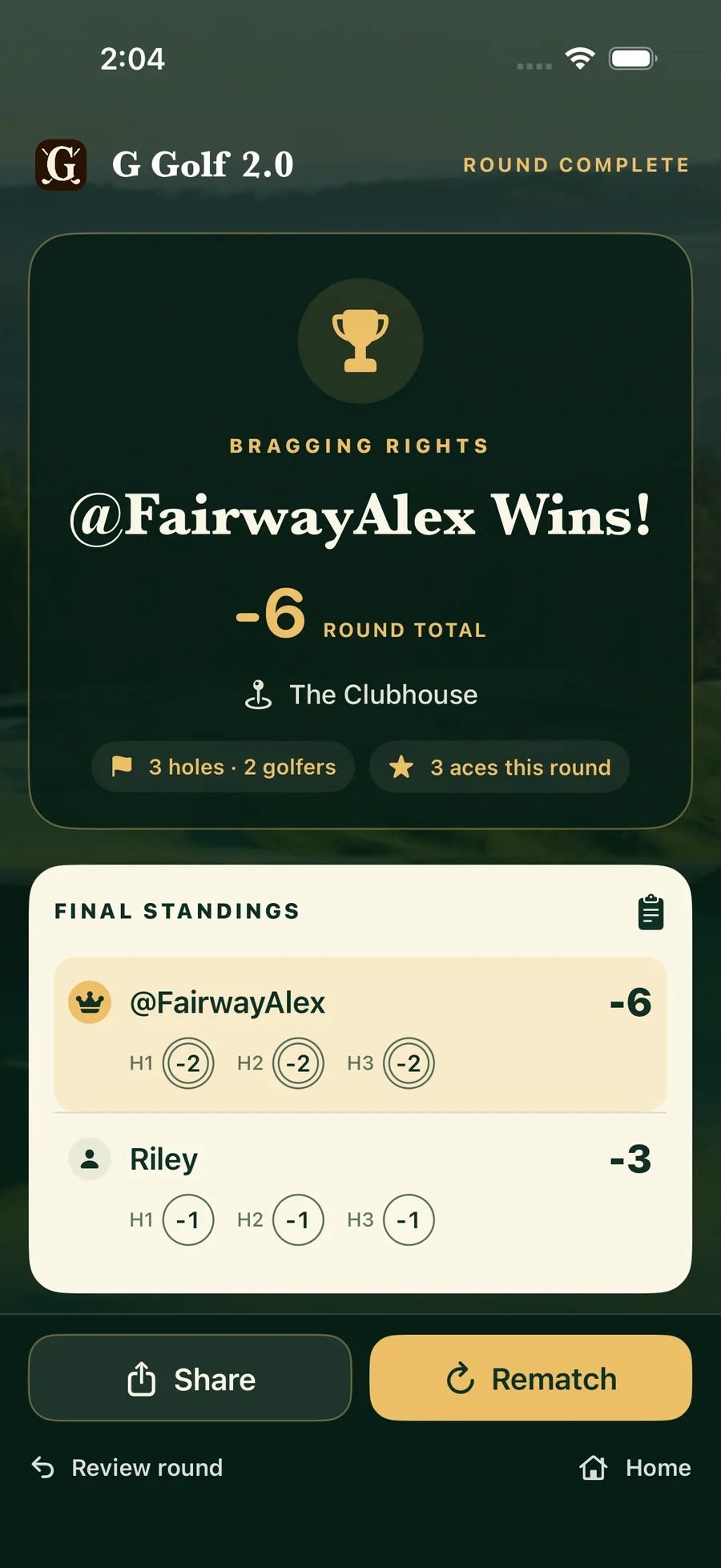
Review the illustrated hole-by-hole scoreboard, see personal online history, and use the share sheet to send the final card through an app you choose.
THE SCORE AT A GLANCE
Right on the flat part of the G.
Choose an outcome to see its score. This is a guide; you enter the result in the app.
HOW IT WORKS
Choose one to six golfers and a venue. Stay on one phone as guests, or enable Save & share online and invite linked accounts.
Compare the liquid level with the G-shaped target. Select the result shown by the highlighted bands, then tap Swing. Everyone plays at their own pace.
Play three holes, compare the totals, and use sudden death to settle a tie. Share the final scorecard when you are ready.
THE ROUND, KEPT TOGETHER
Follow your progress hole by hole, revisit completed online rounds, and share the final card through an app you choose.
Local guest rounds and online account rounds have their own clear places in the app. Choose the way you want to play.
A FEW USEFUL ANSWERS
Yes. G Golf is a free split-the-G scorekeeping app for iPhone and iPad. Play a three-hole glass-target round with one to six players, record each outcome, and keep the final scorecard. Any drink works.
You can play locally as a guest. Sign in with an emailed code and choose an @handle when you want shared rounds and account history. Phone-only rounds are not automatically uploaded.
Yes. Enable Save & share online, attach friends’ accounts to the player slots, and have them accept the invitation. Joined players see the shared scorecard and can take over scoring. Shared rounds need an internet connection.
Any drink works, including alcohol-free options. If your glass has no G, agree on equivalent target lines before the round. You enter each result yourself; the app does not measure the liquid level.
A tie after three holes adds sudden-death play. A skipped hole gives that player a Did Not Finish result, so they cannot win or improve a personal best in that round. Undo can correct an accidental skip.
Location access is optional. You can find a venue by name or type one yourself. Nearby pub and restaurant listings do not guarantee which drinks are available.
Open My Scores & History for completed online rounds. Older local rounds are under Archived rounds → On This Phone, on the device that saved them.
DIRECT FROM THE DEVELOPER
For help, tell us your app version, device, and what happened.
GGolfapp@gmail.com ↗PRIVACY & PERMISSIONS
Guest profiles and local rounds stay on the device. Optional sign-in and shared rounds use account and score data online. Location for finding venues is optional. Read G Golf’s current privacy policy for the full details.
Read the G Golf privacy policy ↗ALSO FROM THEOBYTE APPS