One clear starting point
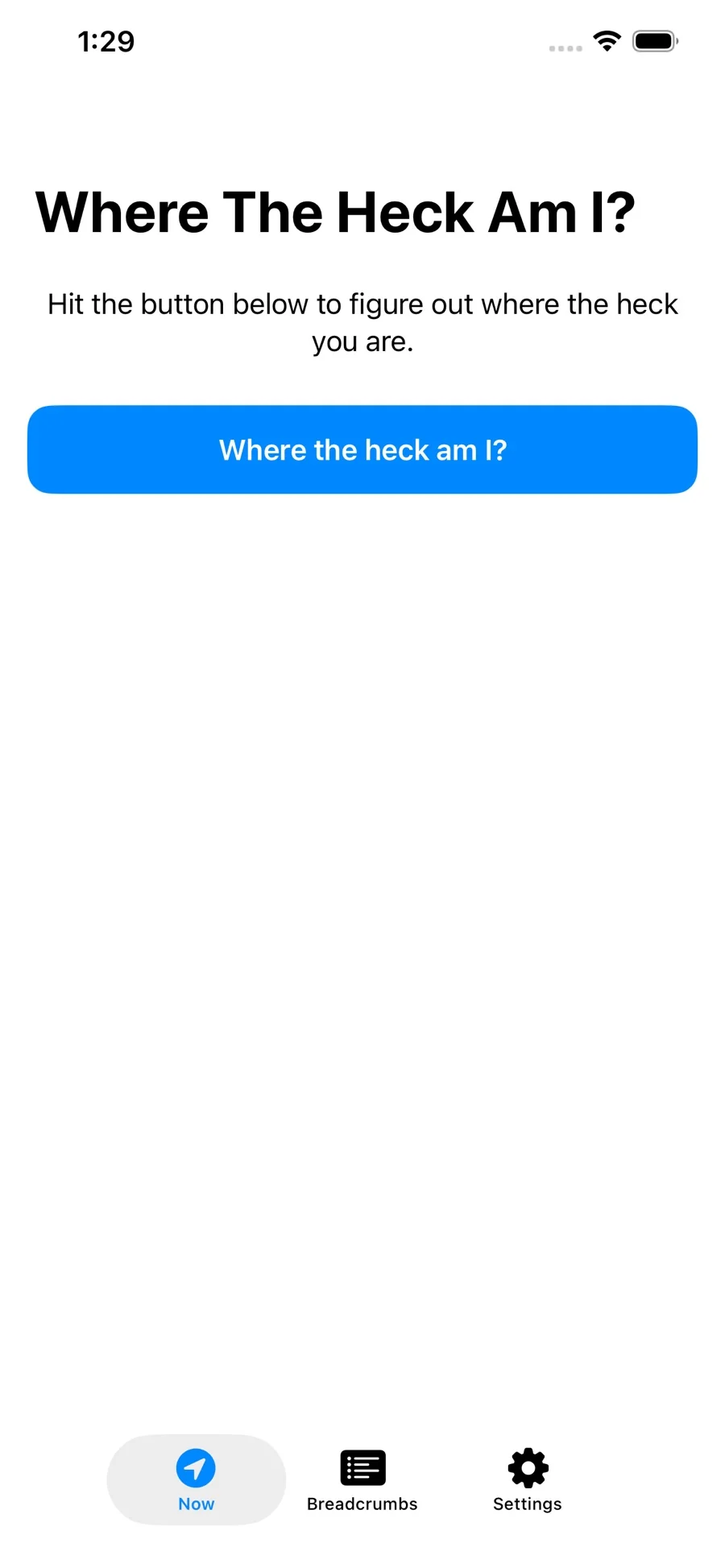
A large location button starts the nearby-place search and centers the map.
WHERE THE HECK AM I? · PLACES, MAPS & BREADCRUMBS
Where the Heck Am I? is a nearby-place finder for iPhone and iPad. See place names and addresses, save breadcrumbs and notes, and share a location with an Apple Maps link.
Free download · iPhone & iPad

A SMALL APP FOR FINDING YOUR BEARINGS
A large location button starts the nearby-place search and centers the map.
Nearby results include a place name, category, address when available, and distance.
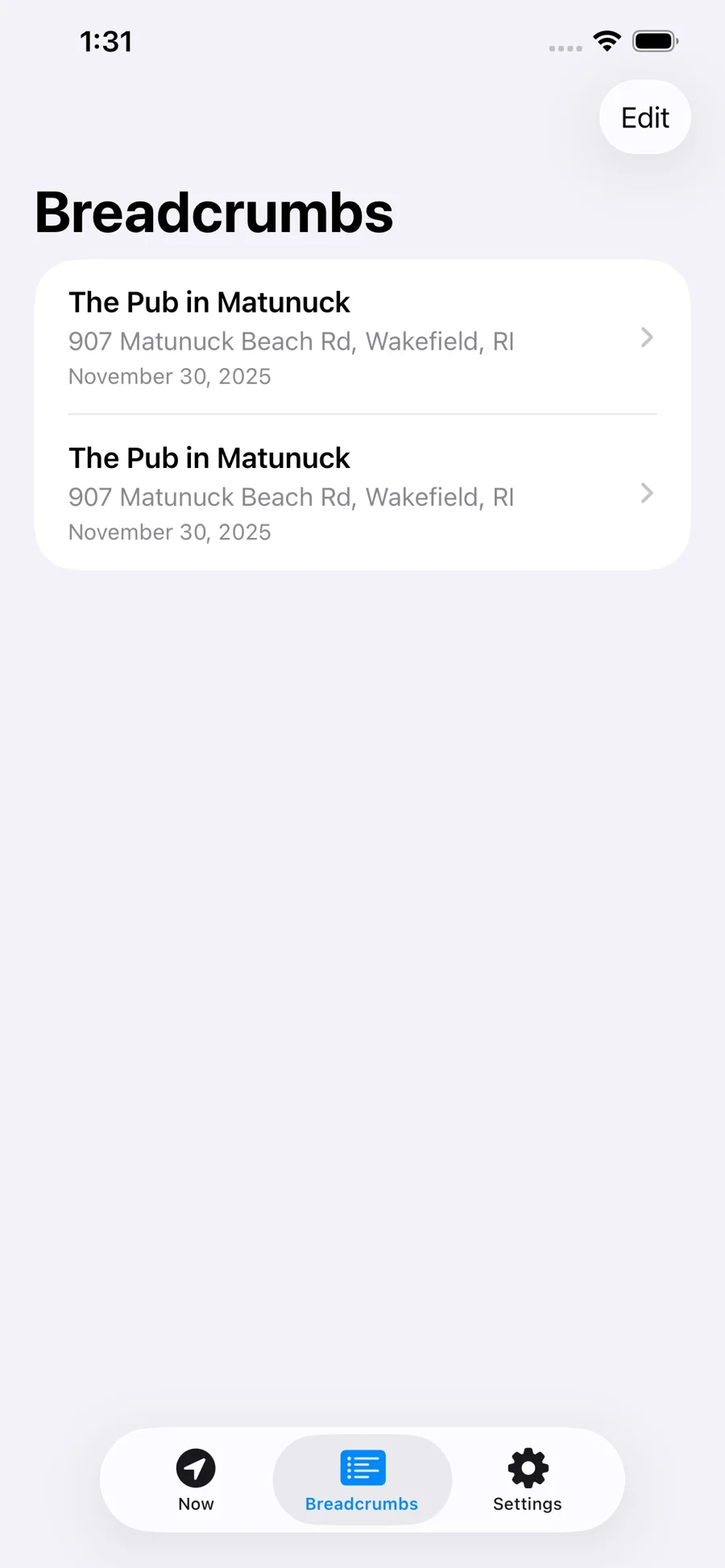
Keep places in a saved-location timeline and add notes to a saved spot.
The iOS share sheet sends a prepared message with place information and an Apple Maps link.
Settings let you choose the search radius and whether GPS coordinates appear in shared messages.
HOW IT WORKS
Tap the main button and allow location access when requested.
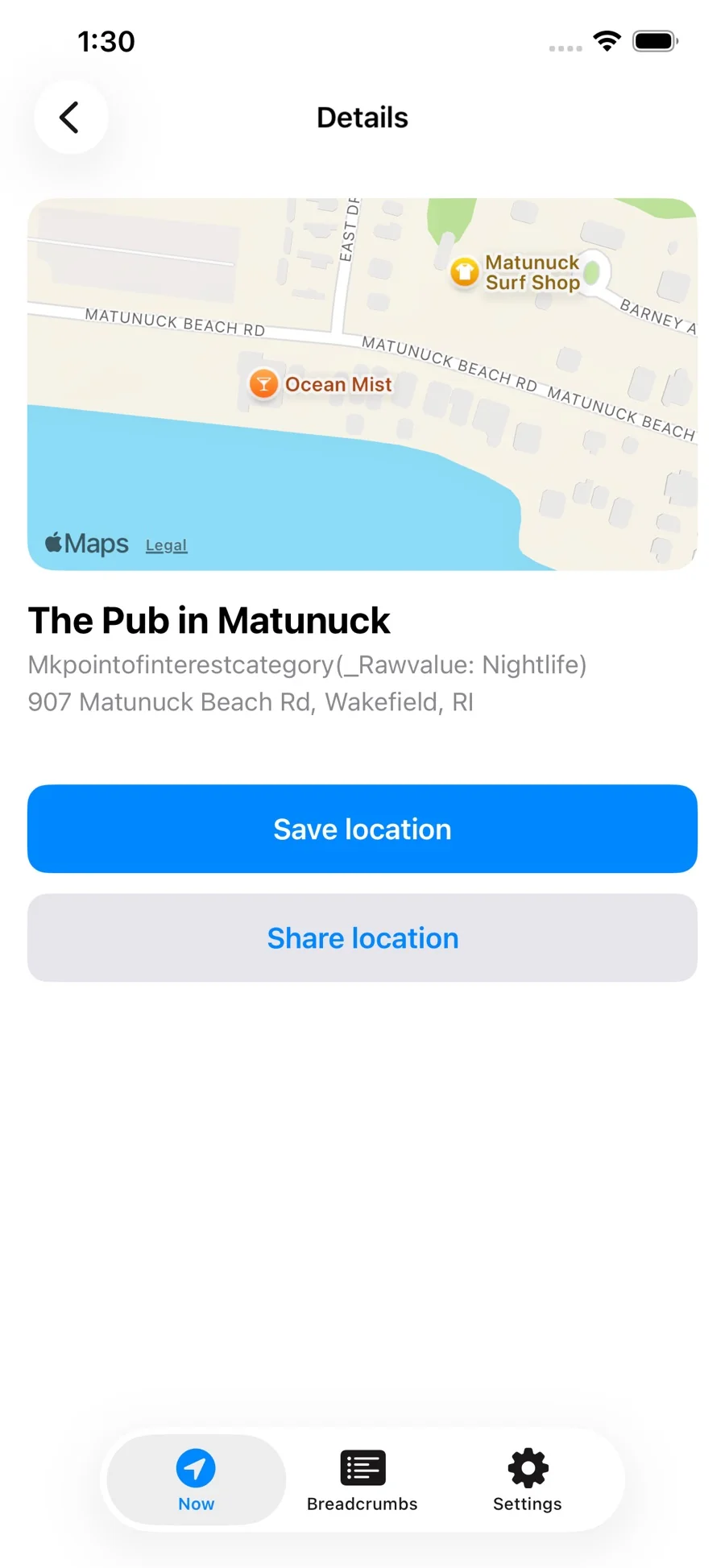
Open a nearby place to see its map and address.
Save it to Breadcrumbs, or share a prepared map link through iOS.
A BREADCRUMB FOR NEXT TIME
Save a spot to your timeline and add a note. Use a place name, an address when available, and a map link to make the memory useful later.
When you want to send it to someone, review the prepared message and choose a recipient in the iOS share sheet.
THE DETAIL THAT HELPS
Open a result to see the place, its category and address when available. Save it for yourself or send it through the apps you already use.
A FEW USEFUL ANSWERS
Yes. Where the Heck Am I? is a nearby-place finder for iPhone and iPad. Tap the location button, see nearby place names and addresses, then save a breadcrumb or share an Apple Maps link.
A prepared message can include the place name, an address when available, optional GPS coordinates, and a link that opens in Apple Maps. You choose a recipient in the iOS share sheet.
Save a location as a breadcrumb, then find it in the timeline and add a note.
Yes. Choose a nearby-search radius in Settings to adjust the area used for place results.
Yes. The app includes a setting for whether GPS coordinates are included in sharing.
The App Store listing is called “Where in the Heck am I?” by Andrew Imhoff. It supports iPhone and iPad with iOS or iPadOS 17.6 or later.
DIRECT FROM THE DEVELOPER
For help, tell us your app version, device, and what happened.
GGolfapp@gmail.com ↗PRIVACY & PERMISSIONS
Location access supports the nearby-place and map features. You choose what to save and which message to send; GPS coordinates in shared messages are optional. For questions about saved breadcrumbs, notes, permissions or data handling, contact the developer. The App Store lists the app as “Where in the Heck am I?”.
Ask a privacy question ↗ALSO FROM THEOBYTE APPS